.svg)

Getting every student speaking during class is hard. Live conversations are time-consuming. One-word answers don’t tell you much. And grading recordings? Forget it.
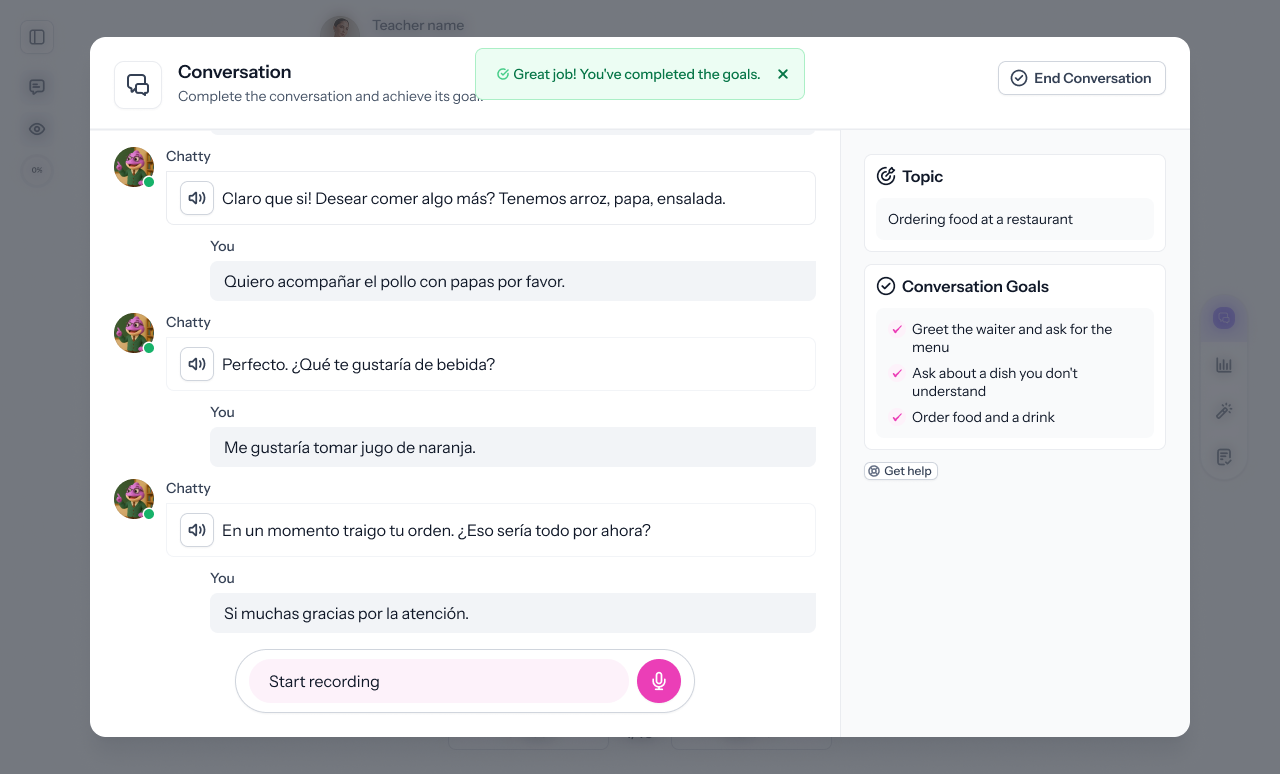
That’s why Simulated Dialogue Activities in Speakable work so well. You can build a short, natural-feeling conversation using Spoken Open Response pages. Each page delivers an audio prompt, and students respond in their own voice. Speakable provides instant, AI-powered feedback—so students get better, and you get time back.
Here’s how to build one.
Step 1: Start a New Activity
From your Speakable dashboard, click Create to open the activity builder. You’ll be adding a series of pages to simulate the flow of a real conversation.
Step 2: Add a Spoken Open Response Page
Click Add Page and choose Spoken Open Response. This is the page type that lets students record spoken answers and receive feedback instantly.
Step 3: Write Your First Prompt and Enable Text-to-Speech
Write a short, natural conversation starter like:
- “Hi there! How are you doing today?”
- “What do you usually eat for breakfast?”
- “Tell me about your favorite weekend activity.”
Then, toggle on Text-to-Speech so the prompt is read aloud. This makes the interaction feel like a real exchange and gives students something to listen to before speaking.
You can also add an image or translation if needed to support the prompt.
Step 4: Build the Conversation with Additional Pages
To create a conversation, add more Spoken Open Response pages—each with a new prompt. Think of it like writing the teacher’s side of a dialogue:
- Page 1: Greet the student
- Page 2: Ask a follow-up or clarifying question
- Page 3: End the conversation with a thank you or closing statement
There’s no limit to how many turns you include, but 2–4 pages usually works well. Keep each prompt focused, and use friendly, everyday language.
Step 5: Preview and Assign
Click Preview to test the experience from the student’s perspective. Make sure the prompts flow naturally and audio sounds good.
Once you’re happy with the activity, click Assign to share it with your class. Students can respond right away, get feedback instantly, and retry if needed.
Why It Works
✅ Students speak more—not just listen or choose answers
✅ Realistic practice for real-world conversations
✅ AI feedback helps them improve without waiting for you
✅ No grading time for you to manage
✅ Aligned with oral proficiency goals like ACTFL and WIDA
Want a Head Start?
Try these activities from the community library:
👉 AP Spanish Conversación con Joel sobre un proyecto sobre arquitectura en España
👉 Conversation Practice (English)
Or start from scratch and build your own in under 5 minutes. Just add a few Spoken Open Response pages, write your prompts, and let Speakable do the rest.
Related Posts
.png)
.png)
Keep Practice, Assessment, and Growth Together
Language proficiency develops over time. Keep that progress visible every step of the way.